 ArtyDog
Artillery calculator for WARDOGS
Put rounds on target.
Stop guessing your shots. Enter your artillery and target grids and get the exact distance, azimuth and mil elevation to land them with the L81 Mortar or SPH-2.
Run it as an overlay on top of the game, or dial one in right here in your browser.
v0.2.3 · Windows & Linux · free, open source (MIT)
RNG 780-2629 m
Awaiting coordinates
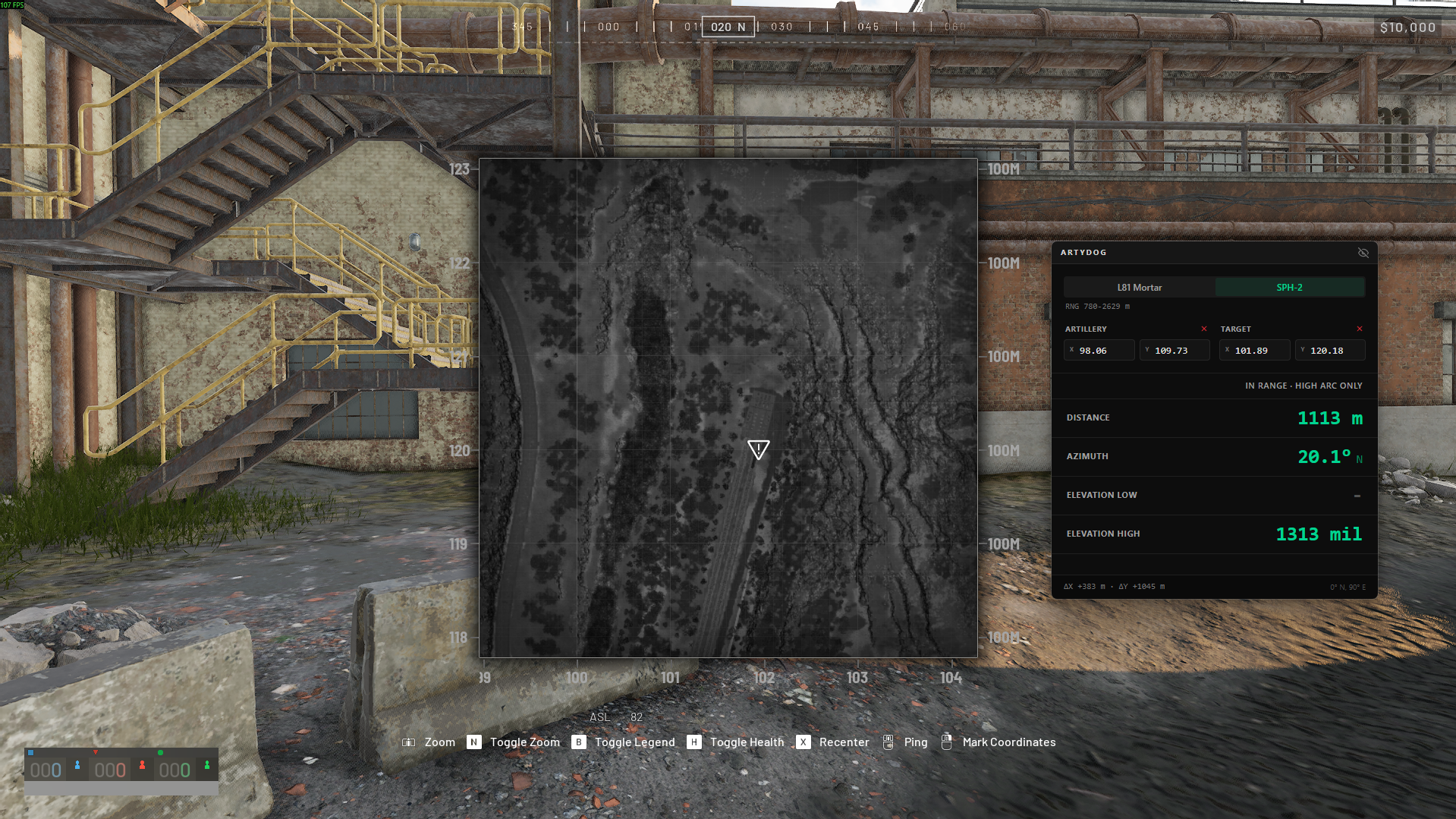
Watch the overlay in action
Video coming soon
How the overlay works
Stay in the match.
The overlay floats on top of WARDOGS, so getting a firing solution never means alt-tabbing out of the game.
- 1
Press Alt + M
The calculator pops up over the game, right where you left it.
- 2
Type both grids
Your artillery position and your target's. The solution updates as you type.
- 3
Dial it in, then hide it
Set azimuth and elevation from the readout, then press Alt+M again to put it away.
Closing the main window keeps ArtyDog in the tray, so the shortcut keeps working. You can rebind Alt+M in settings; while ArtyDog runs, that key never reaches the game.
Fair play
It never touches the game.
ArtyDog is an ordinary window sitting on top of WARDOGS. It doesn't even know the game is running. You read the map, you type the grids, it does the math.
It's open source, so you don't have to take our word for it. Read the code.
An unofficial fan-made tool, not affiliated with or endorsed by the developers of WARDOGS.
What it does
- Sits on top of the game
- Does math on what you type
- Listens for one shortcut key
What it never does
- Inject code into the game
- Read game memory
- Change game files
- Send input to the game
Download
Get the overlay v0.2.3
Only need the numbers? The browser calculator works without installing anything.
Windows
ArtyDog_0.2.3_x64-setup.exe
Download .exeNot code-signed. SmartScreen will warn on first run: More info, then Run anyway.
Linux · AppImage
ArtyDog_0.2.3_amd64.AppImage
Download AppImageRecommended on Linux. Make it executable and run: it updates itself.
Linux note: WARDOGS currently has no Linux support, so Windows is the primary target. Prefer building it yourself? The README has the commands. Older versions are on All releases.